Huawei smartphone users in 2026 face challenges due to Google’s Mobile Services restrictions. However, GBox emerges as a crucial tool, offering seamless access to indispensable Google applications. Whether it’s sending an email through Gmail, watching videos on YouTube, or navigating with Google Maps, GBox facilitates these activities without needing Google services natively installed. Leveraging the AppGallery and virtual environment, it bridges the gap that Huawei users encounter. Discover how GBox empowers Huawei smartphones, making them efficient and competitive in the global market. By understanding user needs and meeting them with innovative solutions, GBox plays an essential role in enhancing mobile experiences, ensuring that Huawei devices remain functional and versatile even when traditional Google support is unavailable.
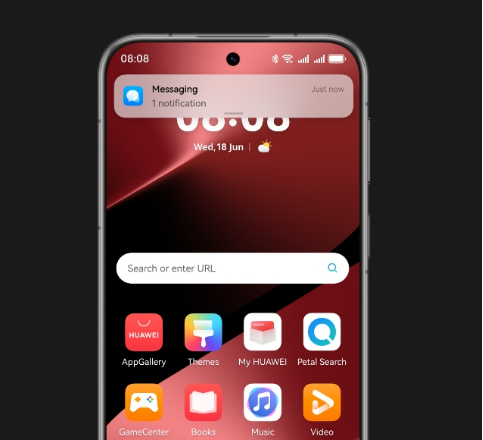
Top Reasons to Use GBox on Huawei Phones
GBox is indispensable for Huawei phones, allowing access to Google apps and ensuring device versatility. Users appreciate its simplicity and seamless integration. Here’s why GBox stands out in 2026.
Access Key Google Apps Like Gmail and YouTube
Huawei users can find it frustrating to navigate a world without access to Google’s ubiquitous services. For those asking what is gbox in huawei, it is essentially a practical solution that recreates a Google-compatible environment on Huawei devices. GBox enables the reliable use of essential apps like Gmail, Google Maps, and YouTube. With it, users can manage emails efficiently, stream videos smoothly, and navigate confidently. This restores productivity and entertainment without relying on unstable alternatives, allowing Huawei smartphones to remain competitive and user-friendly.
Easy Setup Without Root or System Modification
Setting up GBox doesn’t require complicated procedures or technical knowledge. Users don’t need to root their devices or modify the system setup, which can often lead to smartphone vulnerabilities or warranty issues. Installing GBox is straightforward – users can simply download the appropriate application and follow the guided steps to configure it efficiently. This simplicity ensures that even those who are not tech-savvy can enjoy the benefits of GBox without risking their devices’ security or operational functionality. Huawei users thereby retain peace of mind, knowing that their phones remain intact and safe while enjoying all the advantages GBox provides.
Works With Huawei AppGallery and Virtual Environment
GBox intelligently integrates with Huawei’s AppGallery, significantly enhancing the user experience. It creates a virtual environment or sandbox that mimics Google Mobile Services. This environment allows apps to run smoothly and without conflicts. By leveraging the power of the AppGallery, GBox provides a broader range of options and ensures applications update systematically and integrate seamlessly. With this integration, users don’t feel the absence of Google’s ecosystem, as GBox effectively replicates the needed functionalities. This compatibility helps bridge the gap, ensuring that users experience minimal disruptions in app accessibility and functionality.
How to Install and Use GBox in 2026?
Installing and using GBox on your Huawei device becomes second nature with these steps, offering users an intuitive way to access vital services.
Finding and Installing GBox
To begin, navigate to a trusted source to download GBox. Look for verified providers within the Huawei AppGallery or other reliable platforms. Once located, download the application file directly onto your device. Open the file and follow the onscreen instructions to complete the installation process. It’s crucial to ensure your device settings allow installations from unknown sources, as this may be necessary for a smooth setup. Once installed, users can access a range of features and applications through the GBox interface, effectively transforming the user experience on Huawei devices by unlocking extensive functionalities and applications.
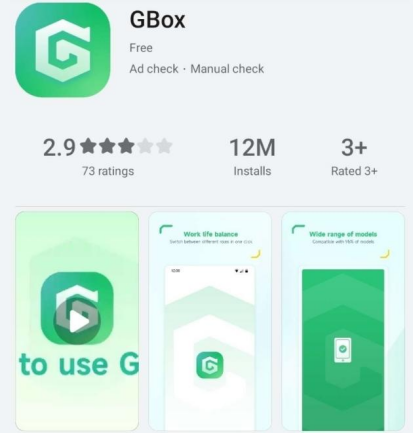
Logging Into Google Inside GBox
After installing GBox, launch the app and proceed with the Google login process within its interface. Input your credentials securely using the familiar Google login screen. GBox mirrors your typical user experience, providing smooth interaction as though you were operating an official Google-sanctioned device. This step grants access to Google services like YouTube, Gmail, or Google Drive. The process is designed to mimic the feel of traditional Android environments, so users transitioning from other Android devices will find the experience just as seamless and convenient, further highlighting the practicality and user-friendliness of GBox on Huawei devices.
Adding and Running Your Favorite Apps
Once configured, users can add their preferred Google apps directly through GBox. Navigate to the app’s internal interface, where you’ll find an option to ‘Add Apps’ similar to device home screens. Select your desired applications from the Google ecosystem or any other apps supported within the GBox environment. Once added, simply click on the app icons within GBox to launch them. This integration allows users to enjoy the full suite of their favorite applications without intensive system interventions, promoting an experience that mirrors a typical Android device, thus restoring user satisfaction and productivity.
Conclusion
Huawei users are not without options in 2026, as GBox provides a bridge to the Google ecosystem. It empowers users to integrate Google apps seamlessly while maintaining device integrity due to its easy setup and integration with AppGallery. By mastering the installation and use tips, Huawei users unlock the true potential of their devices. The GBox ensures that Huawei smartphones remain competitive, enhancing functionality and user satisfaction without needing Google Mobile Services. The right strategies and tools, like GBox, grant Huawei devices the functionality desired by users, circumventing global software restrictions with ease and efficiency.
